
Ever logged into WordPress to publish a post, only to end up spending hours on admin tasks?
It happens more often than we probably want to admit. You meant to write, but then you noticed yesterday’s orders needed checking. A landing page needed updating before tomorrow’s promo. And your form needs to be integrated with your email list. An hour disappears before you’ve written a single sentence.
What if you could have an AI agent built right into WordPress… one that can handle all of that admin work for you?
Imagine opening your dashboard and just asking: “How many orders came in yesterday?” Answered. “Update my About page to mention our new location.” Done. “When someone fills out my contact form, send me a Slack message and add them to my newsletter.” Set up… all it takes is a single line request in plain English.
That kind of help has never existed inside WordPress… Until now!
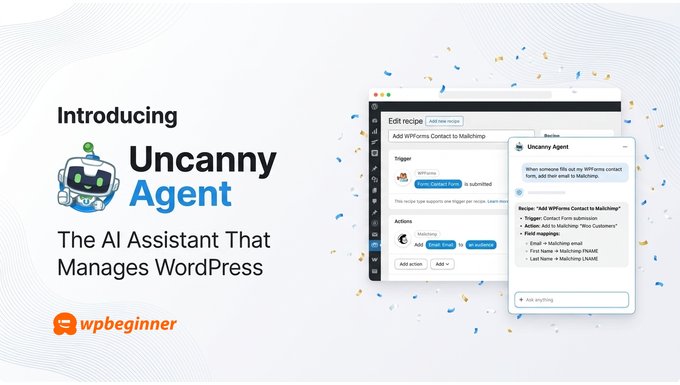
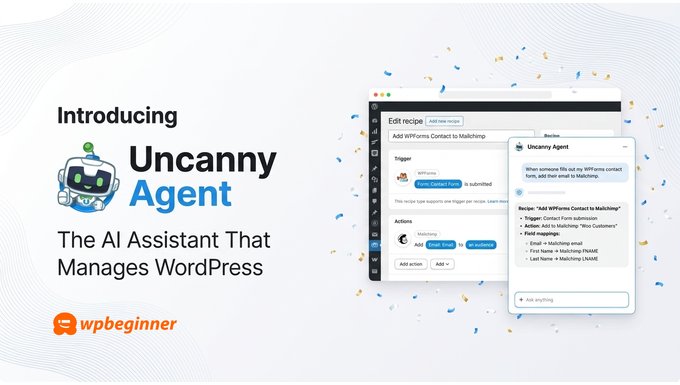
Today, I’m excited to introduce Uncanny Agent, the first true AI assistant built natively for WordPress.
As you may know, Uncanny Automator is a no-code automation plugin, used by over 50,000 websites, that connects your WordPress plugins, sites and apps. With Uncanny Agent, the AI assistant built within the plugin, you can ask any questions about your site or tell it what you need done…and it takes care of it for you.
Why Uncanny Agent?
Over the last two years, the #1 question I’ve received from WPBeginner readers is: “How can I use AI to save time on my WordPress site?”
Most of the answers floating around are weak. You can type in a prompt in ChatGPT and follow its instructions manually. Or you can spend hours building an automation setup, only to replace manual work with automation management.
The problem is that most AI chatbots can only talk about WordPress in general terms. They recommend generic tutorials and broad advice because they don’t actually have access to your WordPress site or your plugins. That means you can’t ask questions like:
- Which products sold best last week?
- Can you edit a blog post and make certain changes?
- Which WooCommerce orders are still pending?
- Why isn’t the WooCommerce checkout redirect firing?
That’s a real problem for small business owners. You don’t typically have a developer to call or an operation team to work for you. When you need an answer about your site, you need it instantly, not after an hour of clicking through dashboards.
So, I asked myself: what if every WordPress user could have an AI assistant right inside WordPress?
That means you can get instant answers for all the questions you have about your site. Or give it instructions in plain English, and it acts on your site directly.
In other words, having an AI assistant inside WordPress is like having a senior WordPress operator on call 24/7 for your site.
That’s exactly what Uncanny Agent delivers.
What is Uncanny Agent?
Uncanny Agent is an AI assistant for WordPress built into the Uncanny Automator plugin. It helps you get real work done on your WordPress site just by describing what you want in plain English.
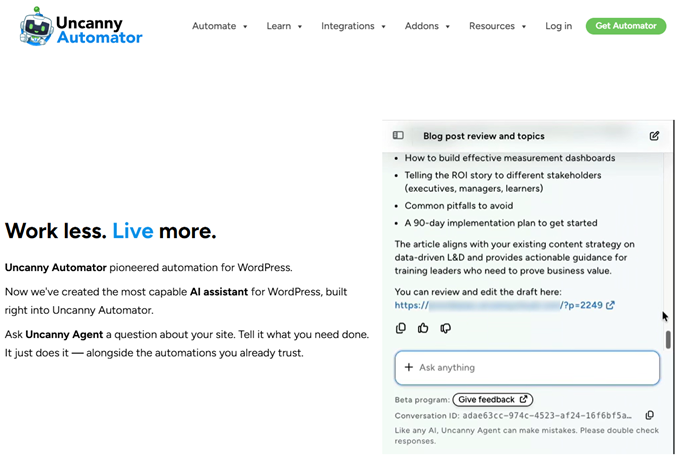
There are three core things Agent does:
- Answers questions about your site: “How many users completed Course B this month?” or “What’s my best-selling product this quarter?”
- Completes tasks for you: Drafting posts with featured images, updating settings, generating reports, formatting content
- Builds automations from a conversation: describe a workflow in one sentence, and Agent builds it for you
Ask Your Site Anything, Get a Real Answer
If you’ve purchased an AI + Automation plan, Uncanny Agent lives inside your WordPress dashboard. You don’t need to install a separate plugin or sign up for another account.
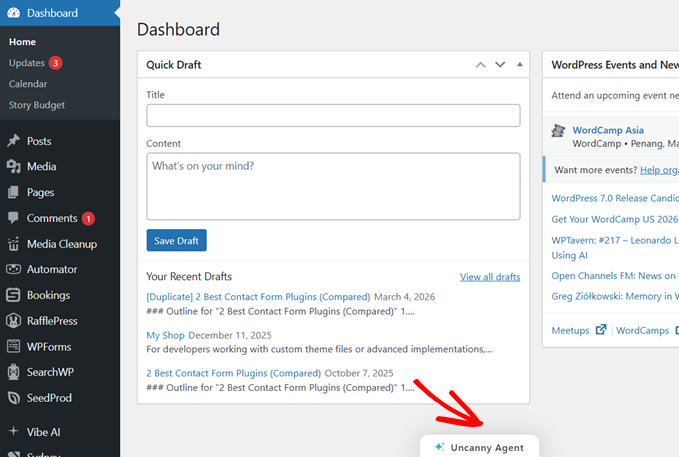
Click the Uncanny Agent widget to open it, type your question, and get instant answers. No more digging through three different plugin dashboards or exporting CSVs into a spreadsheet.
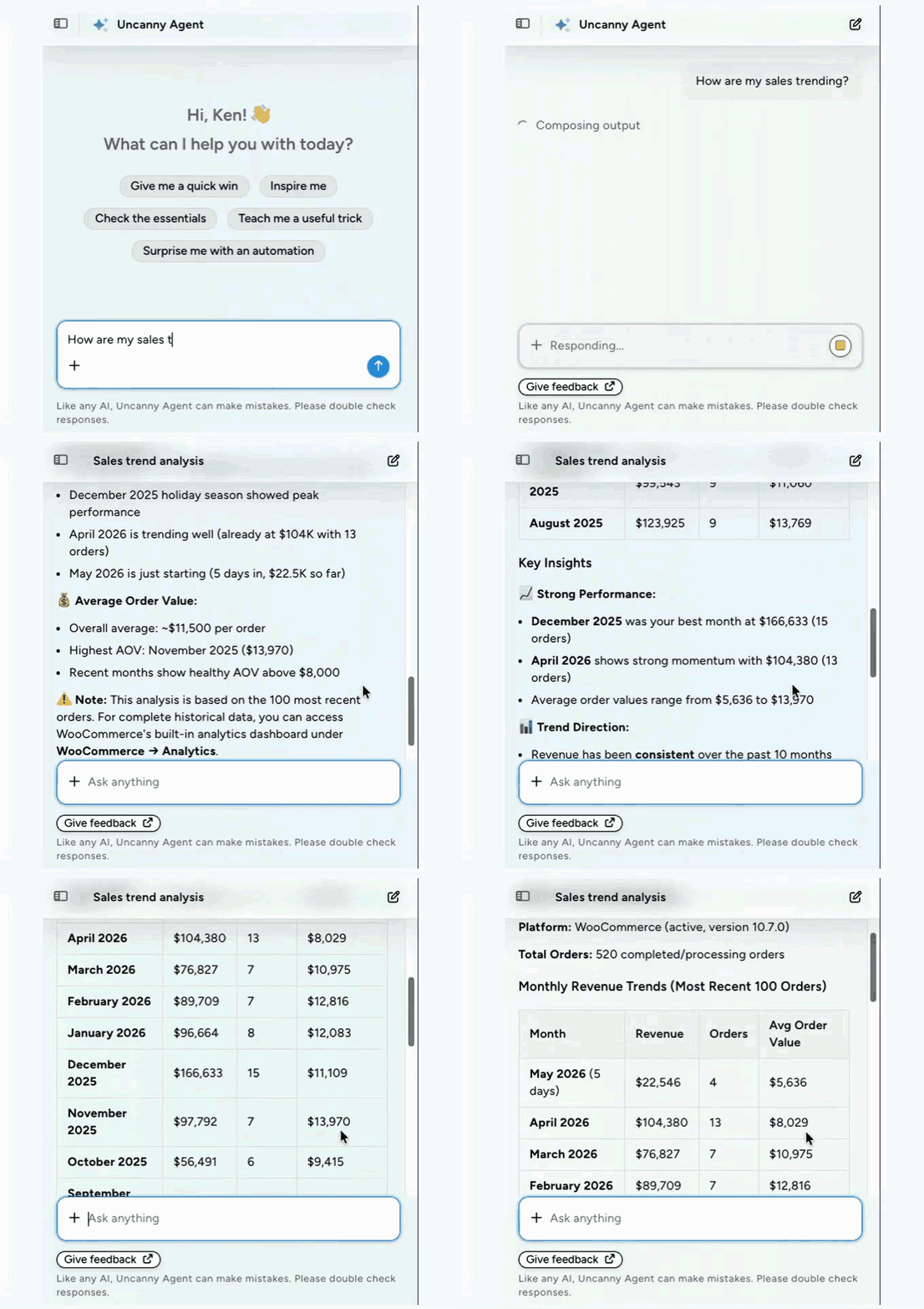
Since Agent has direct access to your WordPress data, answers are accurate to the second… no real-time snapshots needed from an external analytics tool.
Draft Content and Handle Admin Work in Seconds
Uncanny Agent can complete tasks on your behalf, all through natural conversation. What used to take 10+ clicks to complete a task will now get done in just one request in plain English.
The best part is that you can have back and forth conversation with Agent to get the best results.
For example, you can simply ask “Review our current blog posts and propose 3 complementary article topics”. Once you get a response, you can ask to “Draft a post that covers the second topic”.
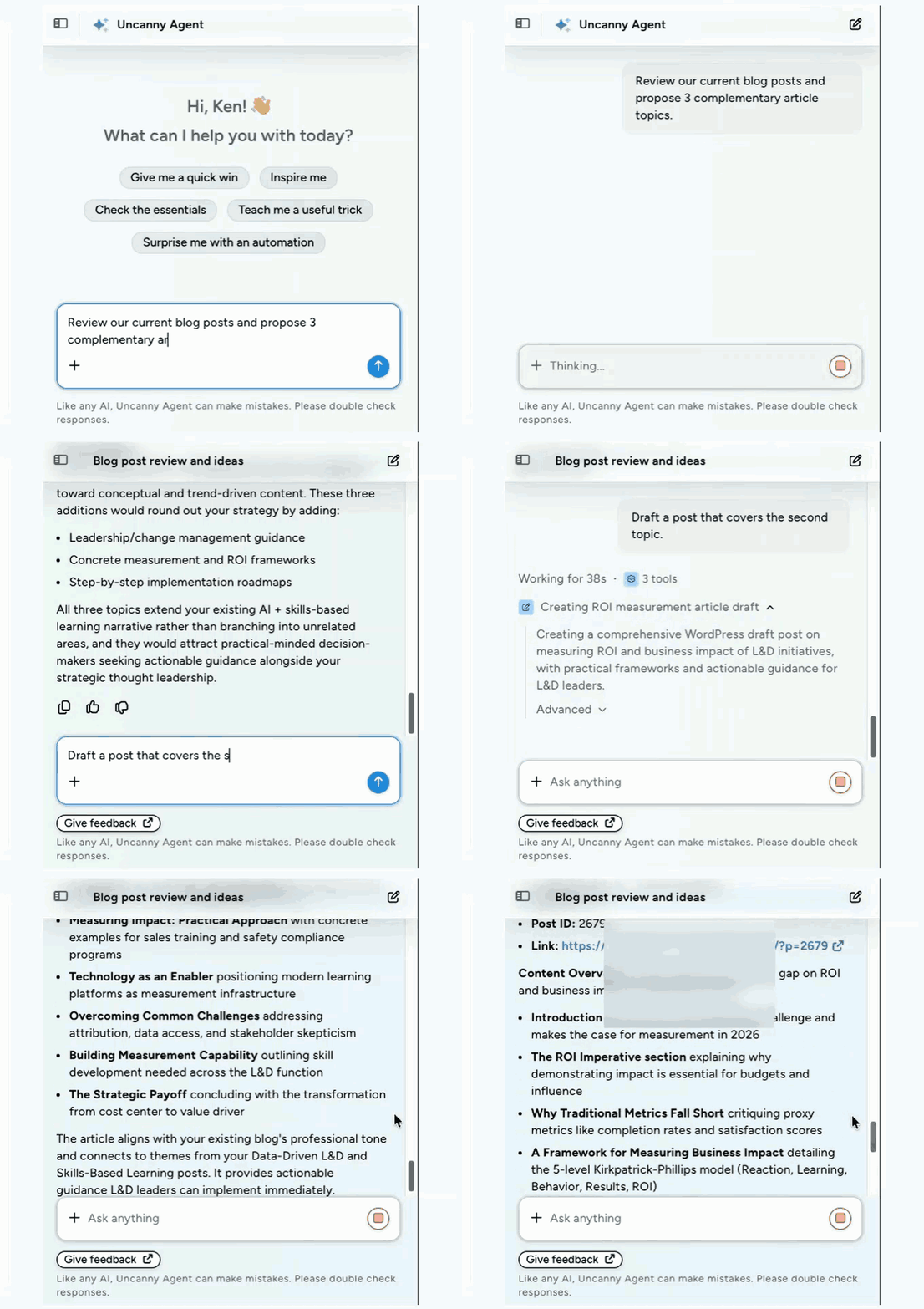
The same goes for updating product descriptions, formatting content, or even writing a code snippet that you can add to your theme file to enhance a WordPress feature.
The result: routine WordPress busywork disappears from your calendar.
Build Automations Without Touching a Recipe Builder
Most automation tools require you to map every step manually. Triggers, actions, fields, conditions… it adds up.
With Uncanny Agent, you describe what you want in one sentence: “When someone submits my contact form, send me a Slack notification and add their info to Google Sheets.”
Agent builds the automation for you. You review it, save it, and move on.
Built on a Mature Automation Engine
Uncanny Automator has been the standard for WordPress automation since 2020, with 50,000+ active sites. It already does the heavy lifting of connecting WooCommerce, Slack, Zoom, Mailchimp, Google Sheets, OpenAI, and the rest of your stack.
Uncanny Agent, the new feature, is the AI layer sitting on top of that proven engine that runs billions of recipe combinations to connect your WordPress plugins, sites, and apps together. It is by far the most capable AI assistant available for WordPress.
AI-Powered Automation: How Much Does It Cost?
Here’s what it costs to get AI-powered automation on your WordPress site without Uncanny Agent.
You will need an automation tool like Zapier or Make along with a general AI assistant like ChatGPT, Claude, or Gemini. Both these tools, automation + AI, cost around $40 to $70 per month. Yet they don’t talk to each other and don’t truly know your site.
That’s because AI is guessing from generic documentation, sits outside WordPress, is connected by API, and is unable to reach most of what actually lives in your database.
Uncanny Agent, on the other hand, is one platform on one subscription, starting at $25/month on the AI + Automation Pro plan.
Because Agent is built right into Automator, it reads your actual WooCommerce orders, users, and content. You can ask it to build an automation, and it build the recipe inside the same tool that will run it.
What’s Coming Next!
We’re just getting started with Uncanny Agent, and I’m genuinely excited about what’s ahead. The Uncanny team is actively expanding Agent’s capabilities across more plugins, more use cases, and deeper automation logic. My goal is to make Uncanny Agent the most useful AI assistant in WordPress.
And the best way to get there is by listening to your feedback and building the features you actually need.
If there’s a specific workflow you’d love Agent to handle, drop it in the comments. Your suggestions shape the roadmap.
And if you’ve been putting off using AI on your WordPress site because the tools felt disconnected from your data or too generic to be useful, then I hope you’ll give Uncanny Agent a try. Start with the free Uncanny Automator plugin from WordPress.org, upgrade when you’re ready, and have your first AI assistant running inside WordPress in under ten minutes.
Thank you for your continued support of WPBeginner and the products I’ve been part of over the years.
Yours Truly,
Syed Balkhi
Founder of WPBeginner
The post Introducing Uncanny Agent: The AI Assistant That Manages Your WordPress Site first appeared on WPBeginner.
Tell us how can we improve this post?